Contents
- Introduction
- 1. Nurture: formative assessment, feedback and live checks for understanding
- 2. Microsoft Reflect: wellbeing check-ins
- 3. Microsoft Learning Accelerators: reading, search and speaking practice
- 4. Kahoot!: game-based quizzes
- 5. Nearpod: interactive lessons
- 6. Wakelet: collect and share learning resources
- 7. Quizlet: flashcards and study sets
- Choosing between them
Introduction
Microsoft Teams is still the hub of the online classroom for well over 100 million students worldwide. For schools, that hub is free: Teams for Education is included in Microsoft 365 A1, which accredited institutions can license at no cost. What Teams doesn’t do on its own is pedagogy. It was built for meetings, messaging and file sharing, not for formative assessment, live checks for understanding or student reflection.
That’s where apps and integrations come in. These are tools that live inside Teams, or alongside it in the browser, and add the classroom workflows Teams lacks.
A lot has changed since we first published this list in 2022. Some well-known tools have been retired or have dropped their Teams apps since then, so this is a fully re-verified 2026 edition. Every entry below was checked in August 2026 for whether it still exists, what it costs, and how it connects to Teams today.
1. Nurture: formative assessment, feedback and live checks for understanding
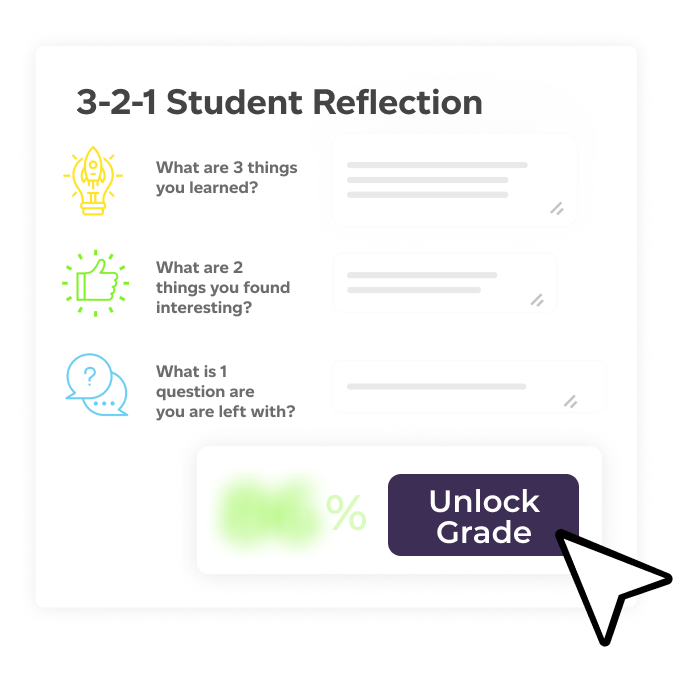
Nurture closes the feedback loop that Teams leaves open. Nurture Assessments runs inside Microsoft Teams (and Canvas). Teachers create curriculum-aligned tasks with AI, students submit with a confidence rating and a reflection on their work, and the teacher reviews AI-drafted, personalised feedback before publishing it. Students engage with their feedback before their grade is revealed, so reflection is built into the loop rather than bolted on.
Its sibling, Nurture Signal, handles the live classroom: checks for understanding, quick polls, engagement checkpoints and quiz sessions. Signal runs in the browser, so there is nothing to install and nothing for IT to approve. It’s also free to start.
You can see how a Microsoft Showcase School uses Nurture inside Teams in our Shireland Collegiate Academy case study, and installing Nurture in Teams takes a couple of minutes.
Cost: Signal is free to start. Assessments is licensed per school, so book a demo for pricing.
2. Microsoft Reflect: wellbeing check-ins
Reflect is Microsoft’s own emotional check-in tool, built directly into Teams for Education. Teachers post a quick prompt, such as how are you feeling about this topic, this assessment or this week, and students answer with an emotion vocabulary supported by the “Feelings Monster”. It’s simple, quick to run, and gives you a read on the room that raised hands never will.
Cost: free. It ships with Teams for Education.
3. Microsoft Learning Accelerators: reading, search and speaking practice
Also built into Teams assignments, Learning Accelerators are Microsoft’s free skill-practice tools. Reading Progress has students record themselves reading and surfaces fluency data. Search Progress scaffolds research tasks. Speaker Progress gives automated coaching on presentation practice. If your school is on Teams, you already have these. Many teachers simply don’t know they’re there.
Cost: free with Teams for Education.
4. Kahoot!: game-based quizzes
Kahoot remains the crowd-pleaser of classroom quizzing, and its Teams app is still going strong. You can share and run kahoots directly in a Teams class or meeting without switching tabs. The free Basic plan covers up to 50 players per session, and paid teacher plans add larger sessions, more question types and reports.
Cost: free Basic plan, with paid teacher plans from a few dollars a month.
5. Nearpod: interactive lessons
Nearpod turns slide decks into interactive lessons with embedded quizzes, polls, videos and collaborative boards, and it integrates with Teams alongside most major LMSs. The free Silver plan gives you the core product with a 40-students-per-lesson cap. Gold and Platinum add storage, AI question generation and bigger classes.
Cost: free Silver plan, with paid plans from around $13/month.
6. Wakelet: collect and share learning resources
Wakelet is still the cleanest way to gather links, videos, documents and posts into one visual collection for your class, and its Teams integration lets you pin a collection as a tab in any channel. The free tier remains genuinely generous for individual teachers.
Cost: free for individual users, with Pro from around $12/month.
7. Quizlet: flashcards and study sets
Quizlet itself is alive and well, but its dedicated Teams app is gone. Teachers now add Quizlet to a class by pinning it as a website tab: add a tab, choose Website, and paste your study set’s URL. It’s a small workaround for what is still one of the best flashcard and retrieval-practice tools around.
Cost: free with ads. Quizlet Plus adds offline access and advanced study modes.
Choosing between them
- Already free in your Teams tenant: Reflect and Learning Accelerators. Switch them on before buying anything.
- Live engagement and quizzing: Kahoot, Nearpod, or Nurture Signal if you want checks for understanding tied to per-student insight rather than points and podiums.
- Assessment, feedback and reflection: Nurture Assessments, the only tool on this list built specifically to close the feedback loop.
- Curating resources: Wakelet. Retrieval practice: Quizlet.
Interested in what Nurture can do for your school? Book a 1-1 demo.